BlueArc: Simple Android proxy manager for quick connections
Try BlueArc Proxy, developed by Hamza hameed khan, to manage proxy connections on Android devices with minimal setup and clear controls. The app establishes and maintains proxy paths for public Wi‑Fi, work, or study networks, offering a quick setup process, a modern interface, and straightforward controls for connection management. It emphasizes a minimalist workflow and lightweight operation to reduce configuration time. Android users who want fast, low‑effort proxy switching will find practical value in this utility.
What does BlueArc do?
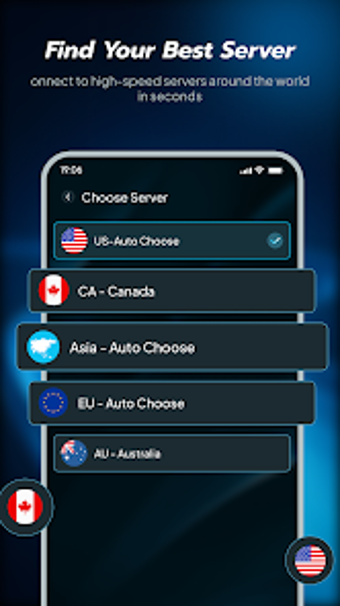
BlueArc is a utilities tool that sets up and maintains proxy connections on Android devices, aimed at reducing manual network configuration. The app presents a modern interface and straightforward controls and describes a "Smart, Flexible Connections" workflow. Practical tasks it covers include switching proxy paths for browsing on public Wi‑Fi or work networks, and the developer documents a quick setup that requires only a few steps for typical use.
How does it affect device performance during use?
Moreover, the developer positions the app as a lightweight utility optimized for smooth online experiences, which suggests a small system footprint during normal operation. The listing states it supports modern Android operating systems and is available through the Google Play Store. That distribution implies compatibility checks with current devices, and the minimal setup focus reduces the likelihood of persistent background services that could drive sustained CPU or RAM load.
Is it safe to use on public Wi‑Fi?
In addition, the app is explicitly built for use on public Wi‑Fi and other variable networks, but its Play Store data safety declaration notes the app may collect and share app activity, device IDs, and performance information with third parties. That declaration is a concrete privacy consideration users should weigh when routing traffic through the app on untrusted networks, especially for sensitive tasks.
Do I need technical knowledge to operate BlueArc?
Nevertheless, the interface and workflow target non‑technical users: the developer describes a minimalist design and straightforward controls that make setup accessible without deep networking knowledge. That accessibility is valuable for casual users, while people needing granular proxy rules or advanced tunneling options may find the simplified approach limiting. The app has an early adoption base of about 1,300 downloads, which aligns with its role as a simple, practical utility.
A practical choice for quick proxy tasks, with a privacy trade‑off
BlueArc is a pragmatic option for Android users who need fast, low‑effort proxy switching across different networks. The primary trade‑off is the app’s declared collection and sharing of activity and device identifiers, which affects its privacy posture. For users who prioritize simplicity and speed over strict data minimization, the app performs as a straightforward proxy manager; privacy‑sensitive tasks should be tested cautiously before routine use.